Actions
Bug #4744
open
PB
KK
Website, Lead Status Filter Does Not Search Special Characters
Bug #4744:
Website, Lead Status Filter Does Not Search Special Characters
Start date:
Due date:
% Done:
0%
Estimated time:
Description
Short Description
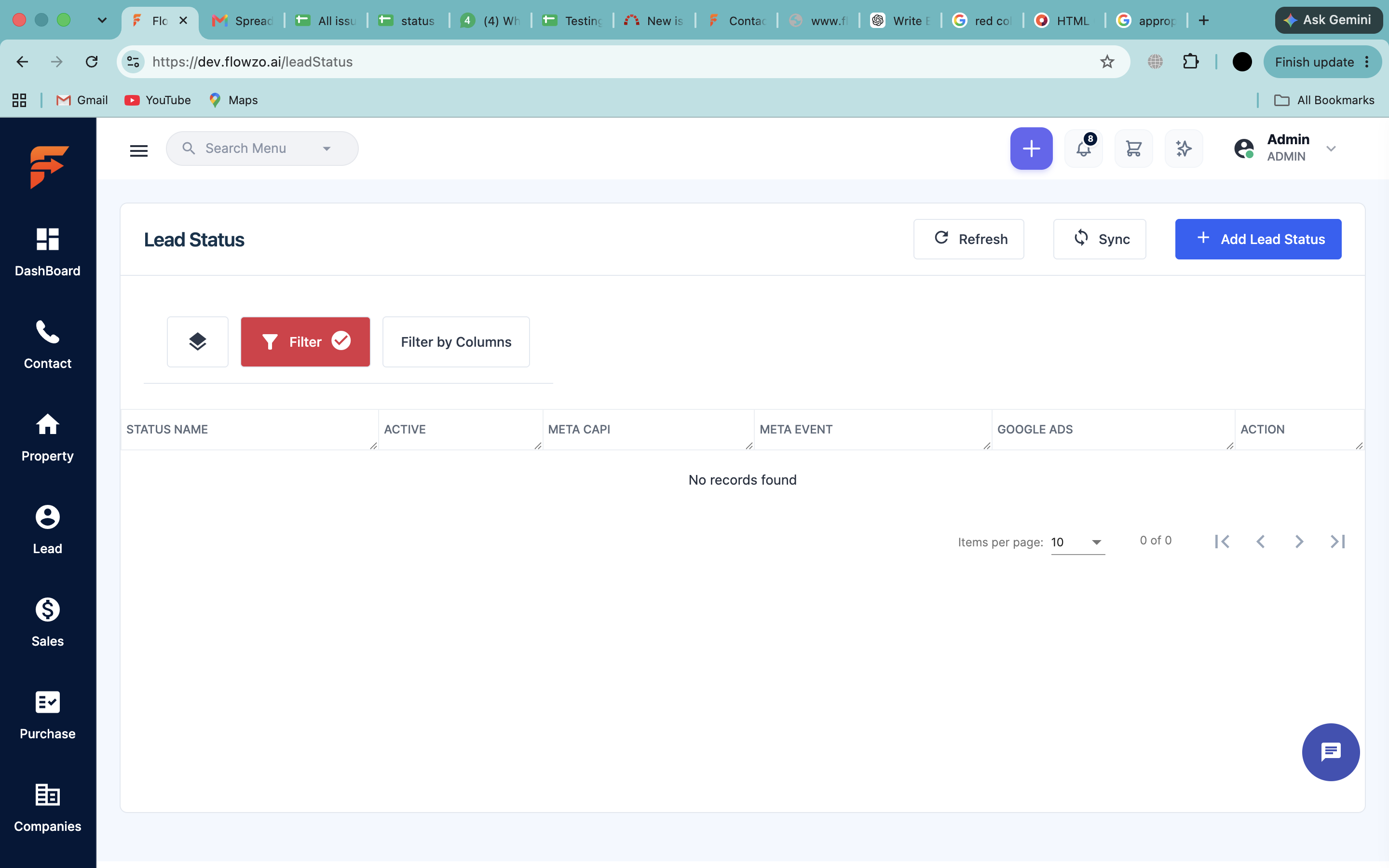
The Lead Status filter is unable to search and display a status name containing the special characters like #,$, &.
Steps to Reproduce
- Open the Lead Status page.
- Click Add Lead Status.
- Enter a Status Name containing the special character &, for example, Test & Status.
- Save the Lead Status.
- Click the Filter option on the Lead Status page.
- Enter & or Test & Status in the filter field.
- Apply the filter and observe the results.
Actual Result
The Lead Status containing the special character & is not filtered or displayed in the search results.
Expected Result
The filter should correctly search and display Lead Status names containing special characters such as &.
Dev Url:https://dev.flowzo.ai/
Admin Url:admin@flowzo.ai
Password:Admin@123
company Name:cai
Files
KK Updated by kiswar kiswar 1 day ago
- Status changed from New to Resolved
Actions