Bug #3654
closedMeeting Hours is Displayed on Timeline Dashboard Despite Requirement to Remove It
Description
Defect Title:
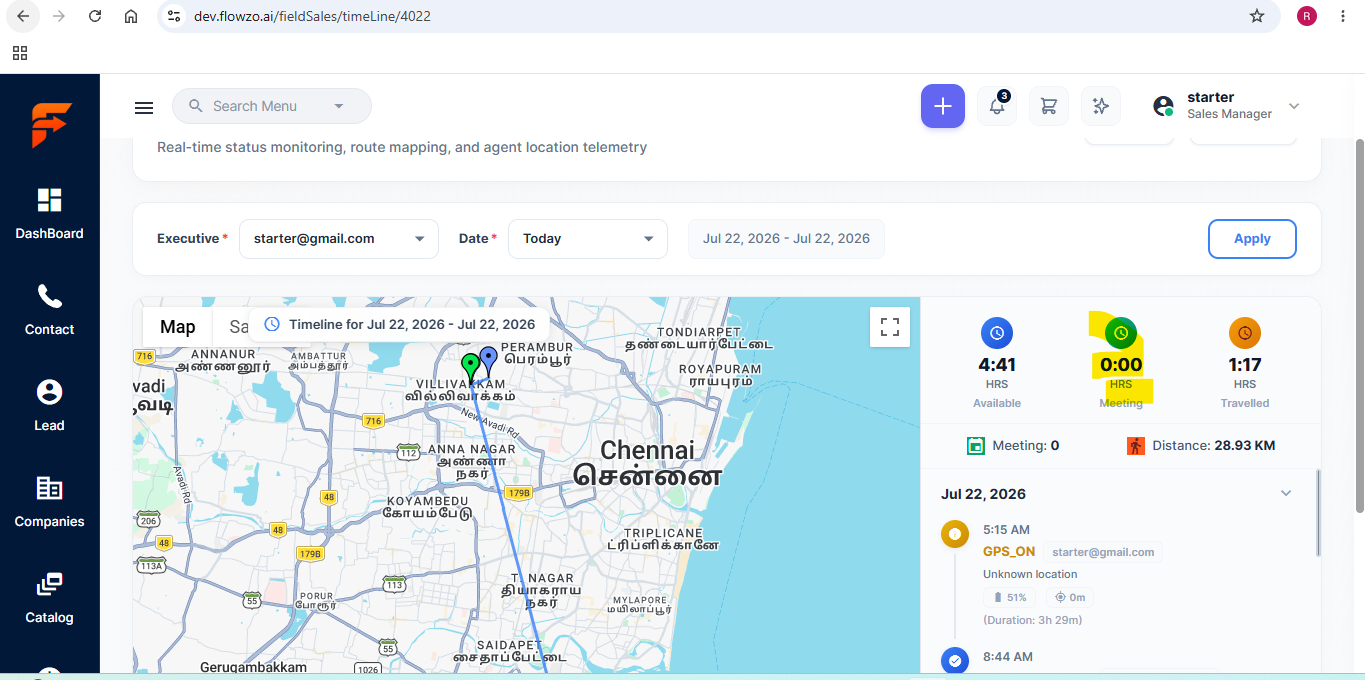
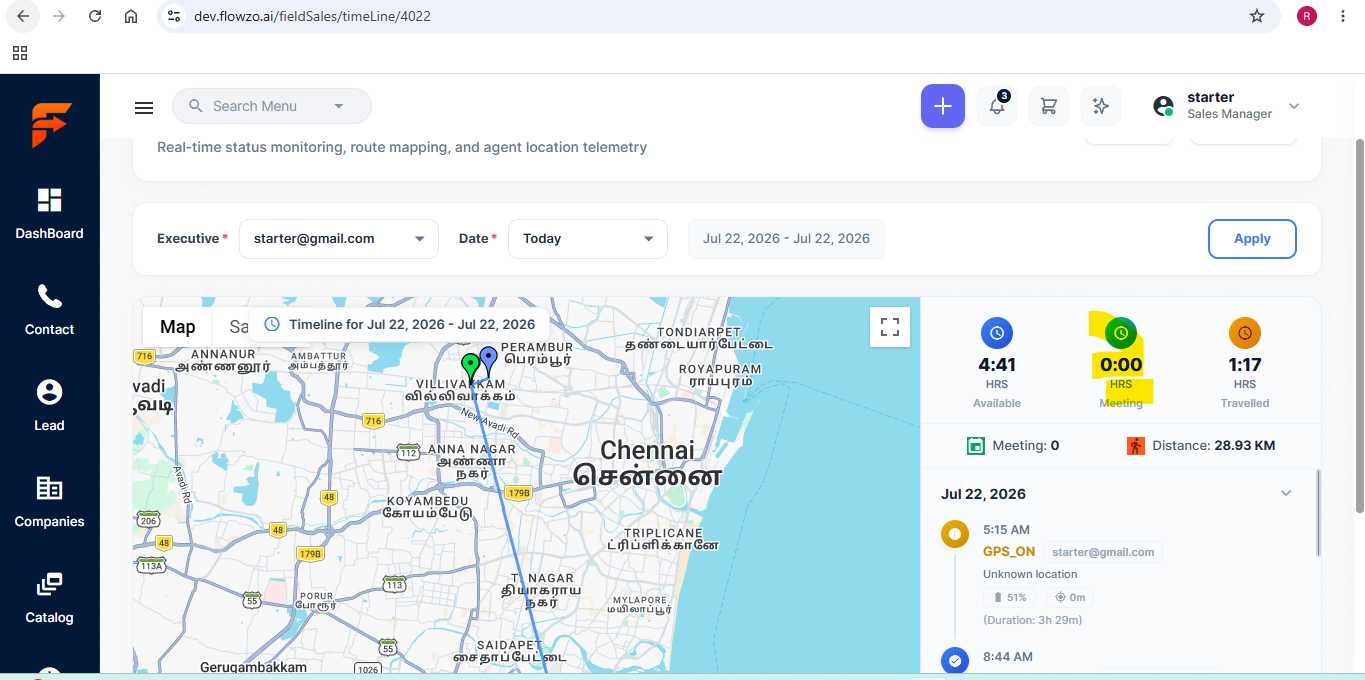
Meeting Hours is Displayed on Timeline Dashboard Despite Requirement to Remove It
Module:
Field Sales Tracking – Timeline Dashboard
Severity:
Medium
Priority:
Medium
Preconditions:
User is logged into the Field Sales Tracking application.
Timeline page is accessible.
Steps to Reproduce:
Launch the Field Sales Tracking application.
Log in with valid credentials.
Navigate to Field Sales > Timeline.
Select an Executive and Date.
Click Apply.
Observe the Timeline summary section.
Actual Result:
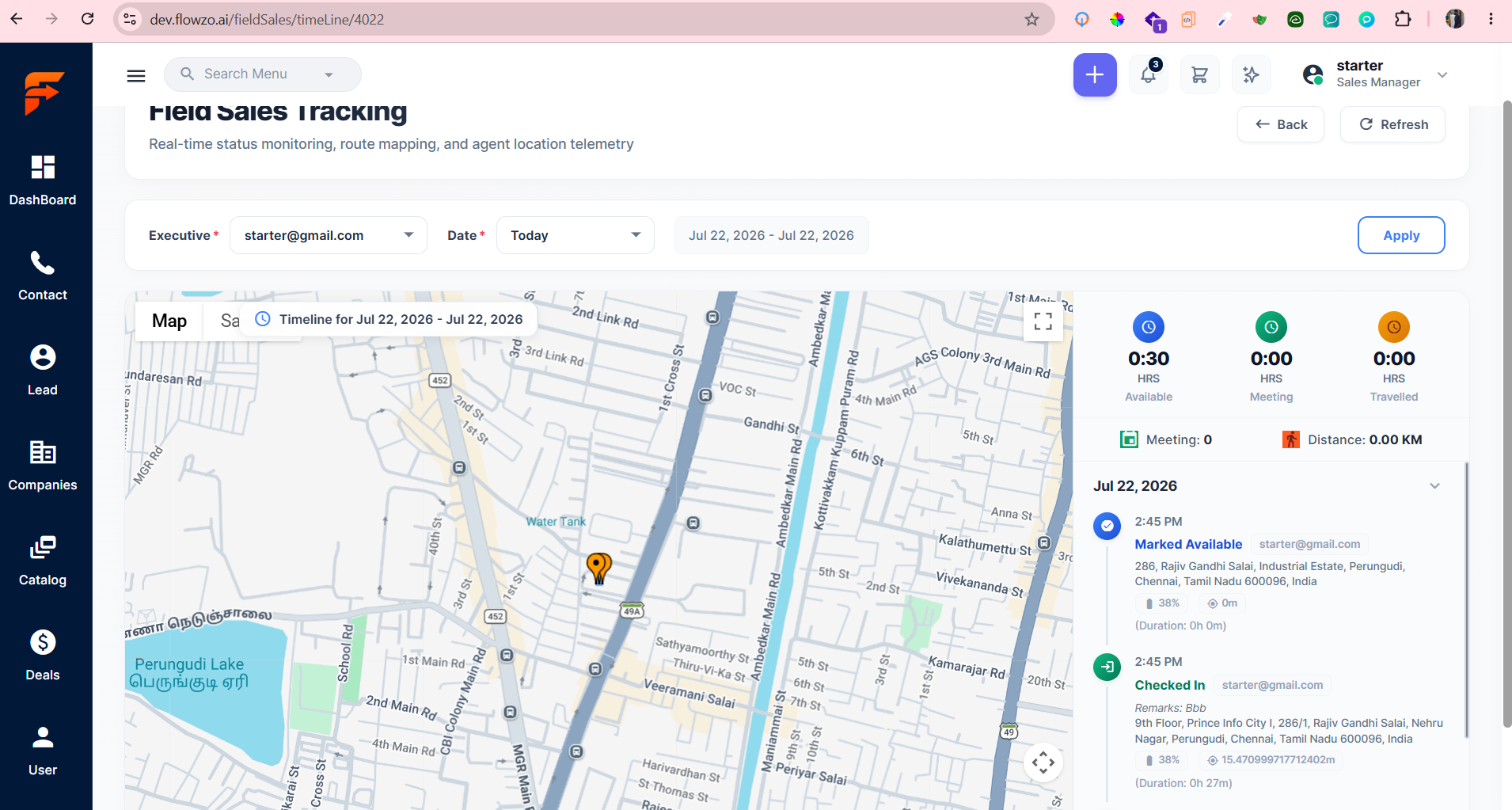
The Meeting Hours field (e.g., 0:00 HRS) is displayed in the Timeline summary.
Expected Result:
The Meeting Hours field should not be displayed on the Timeline dashboard, as it has been removed as per the latest business requirement.
Evidence:
Screenshot attached showing the Meeting Hours (0:00 HRS) field displayed on the Timeline dashboard.
Starter@gmail.com
Welcome@123
Thanks,
Reeta A
Files