Actions
Bug #4242
open
AK
NV
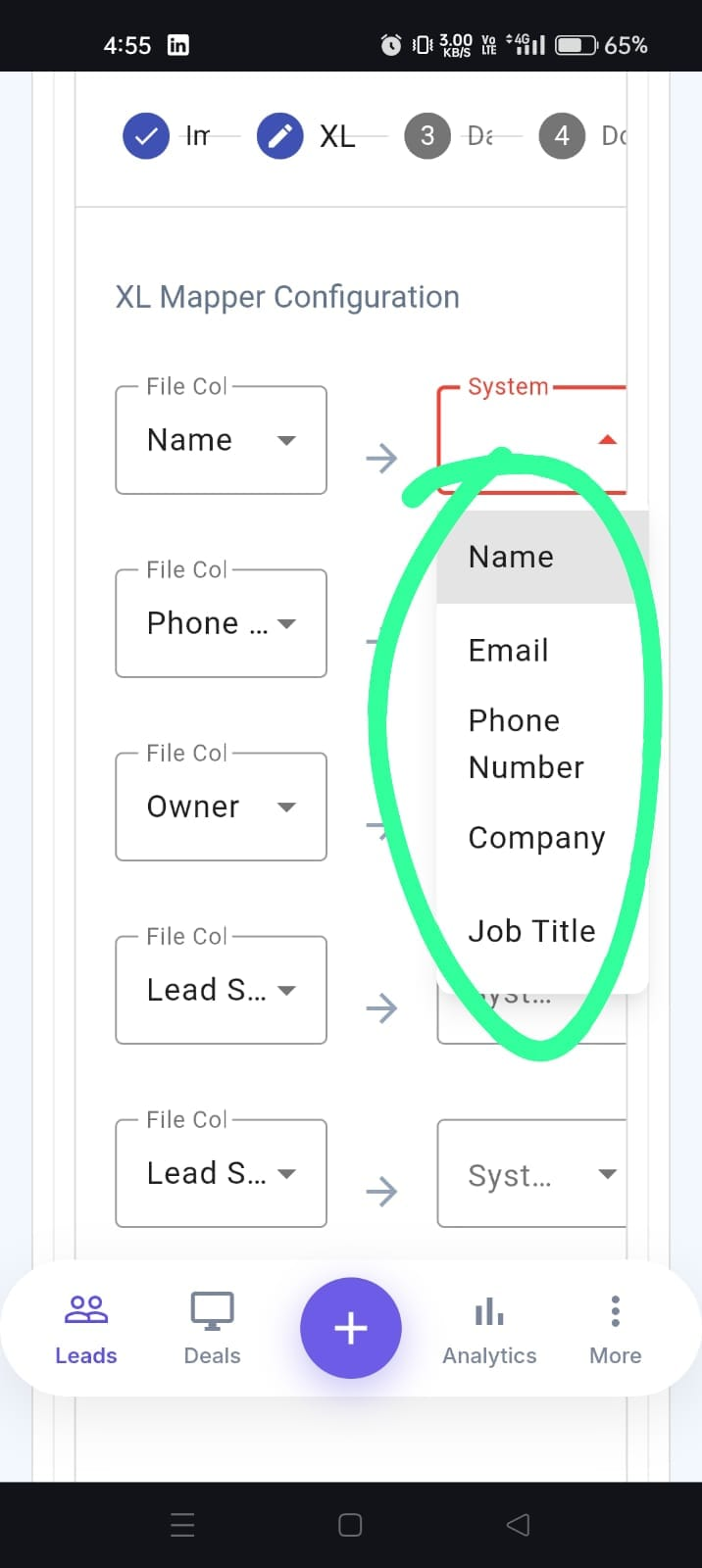
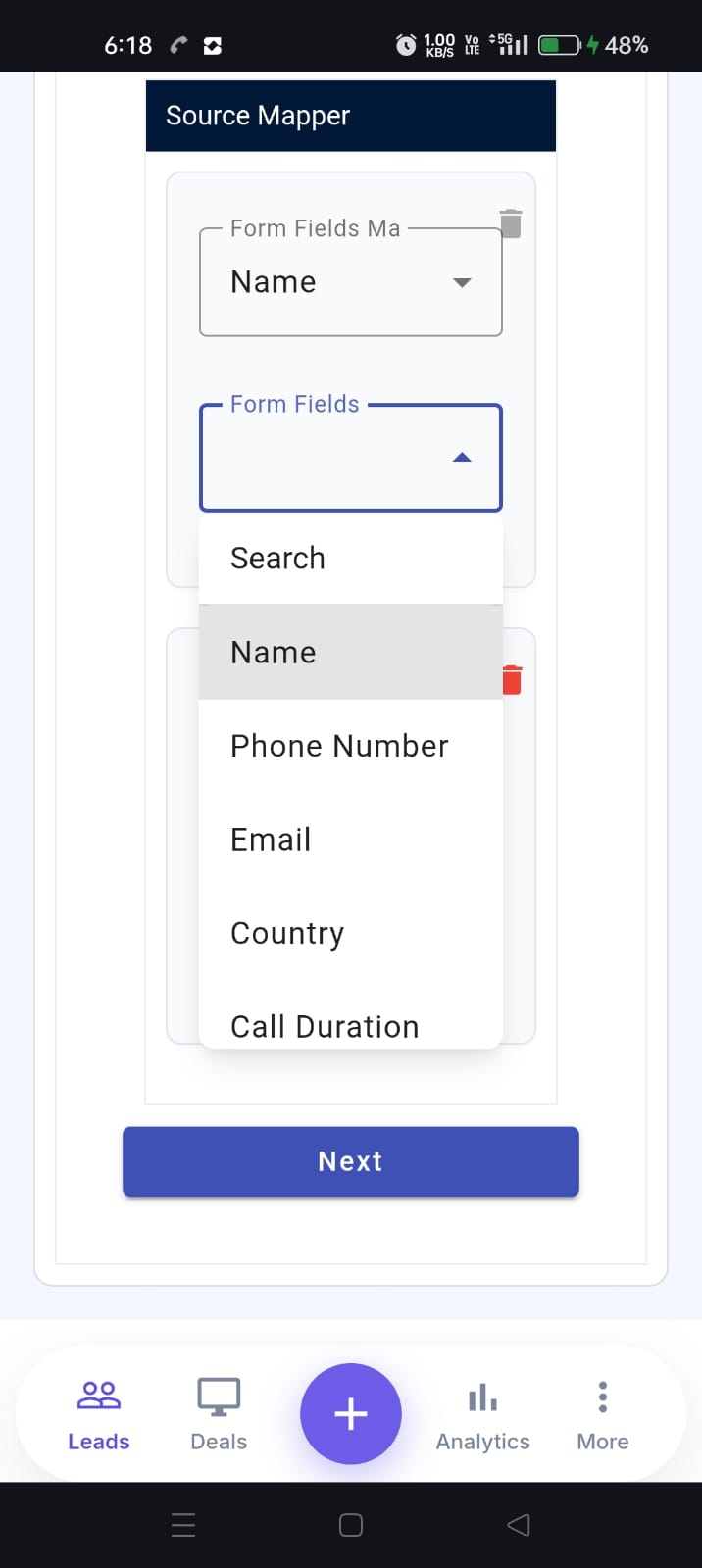
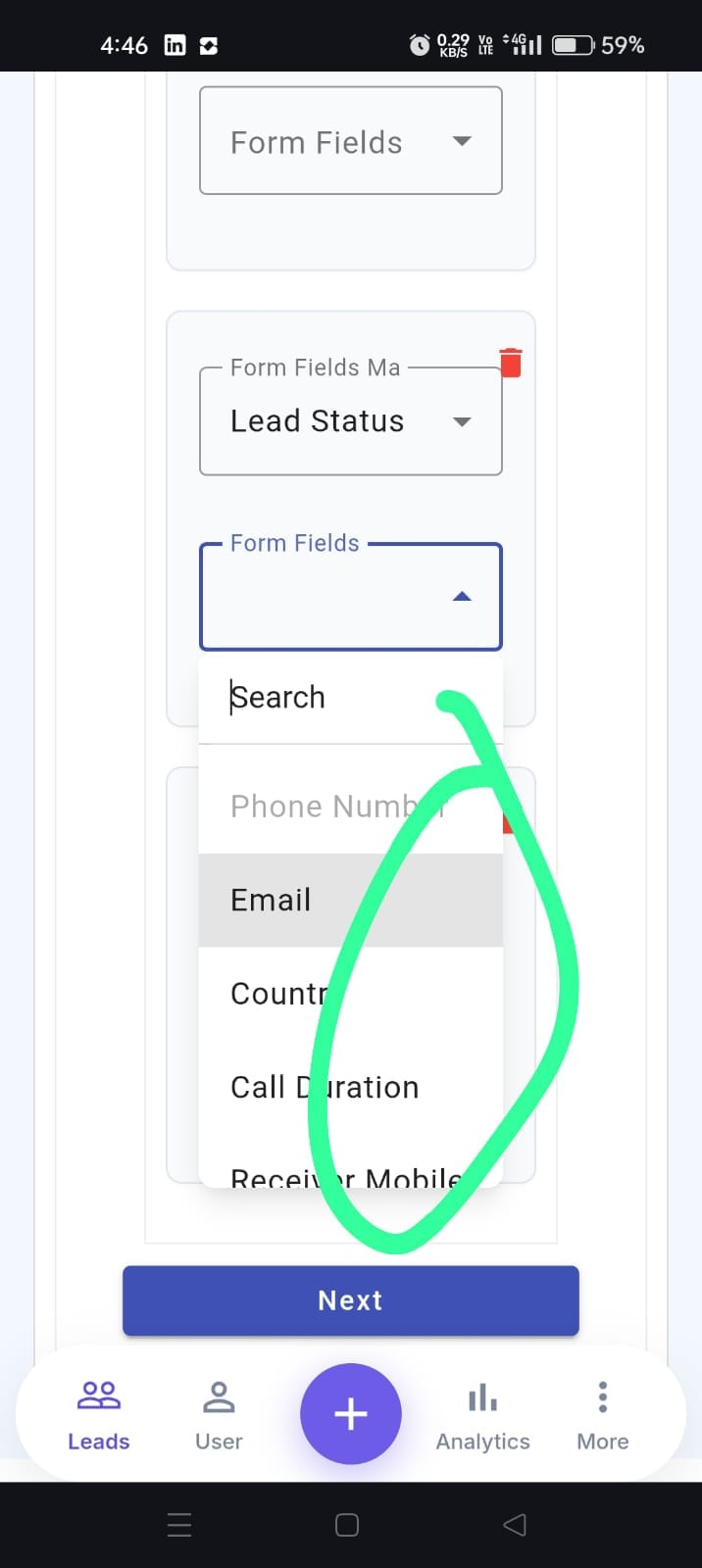
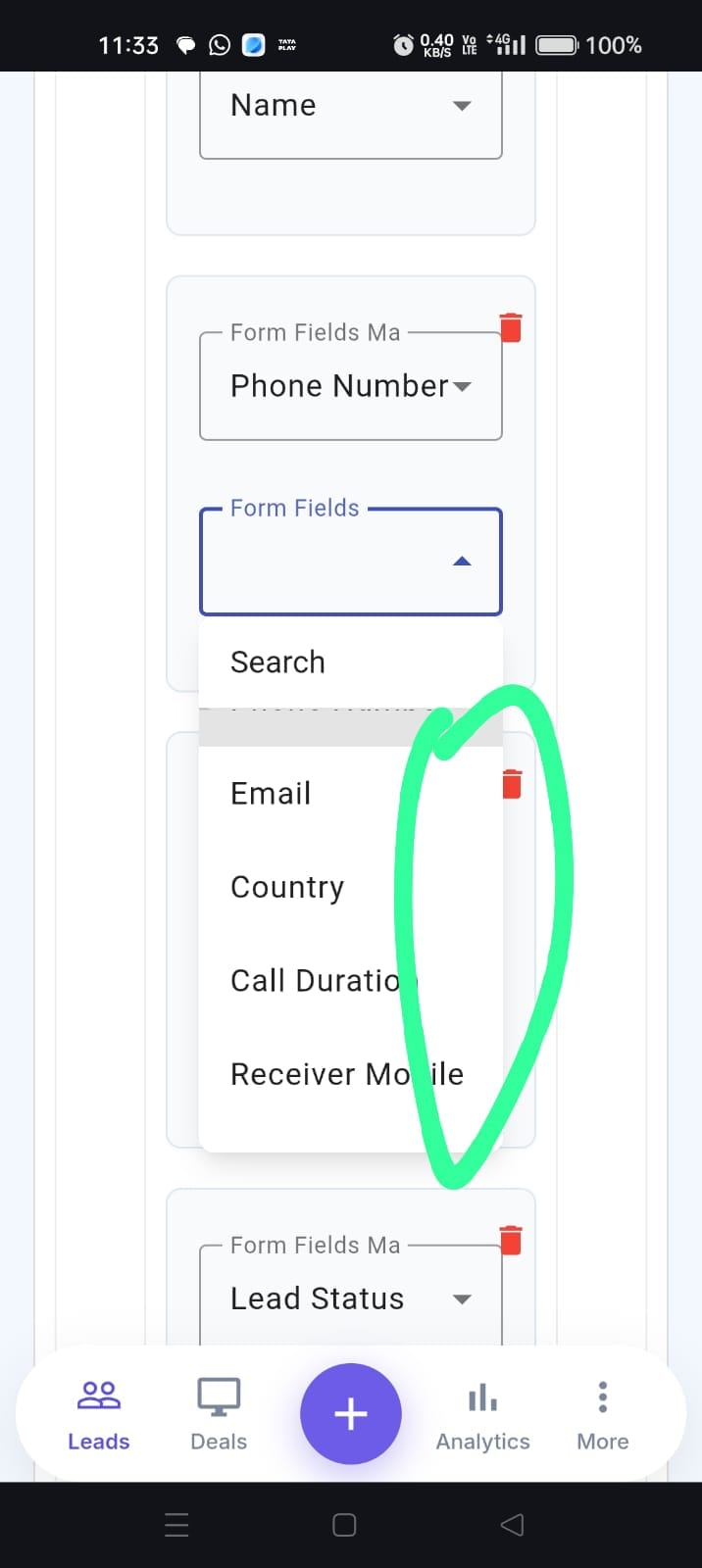
Scroll is missing in the mapping field dropdown on the XL Mapper page after uploading an Excel file (APK)
Bug #4242:
Scroll is missing in the mapping field dropdown on the XL Mapper page after uploading an Excel file (APK)
Start date:
Due date:
% Done:
0%
Estimated time:
Description
Short Description:
After uploading an Excel file in the Lead Import feature, the XL Mapper page is displayed. However, the mapping field dropdown does not have a scroll option. As a result, users cannot view all the available fields, making it impossible to map the Excel columns properly.
Steps to Reproduce:
Open the APK and login.
Navigate to Leads → Import.
Upload a valid Excel file.
Proceed to the XL Mapper page.
Click on any mapping field dropdown.
Observe the dropdown list.
The mapping field dropdown does not have a scroll option, preventing users from viewing all available fields and mapping the Excel data correctly.
Files
Actions