Bug #4625
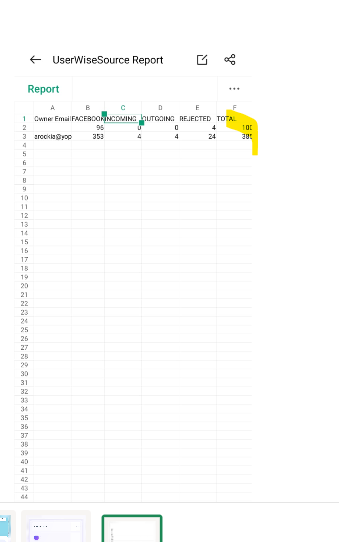
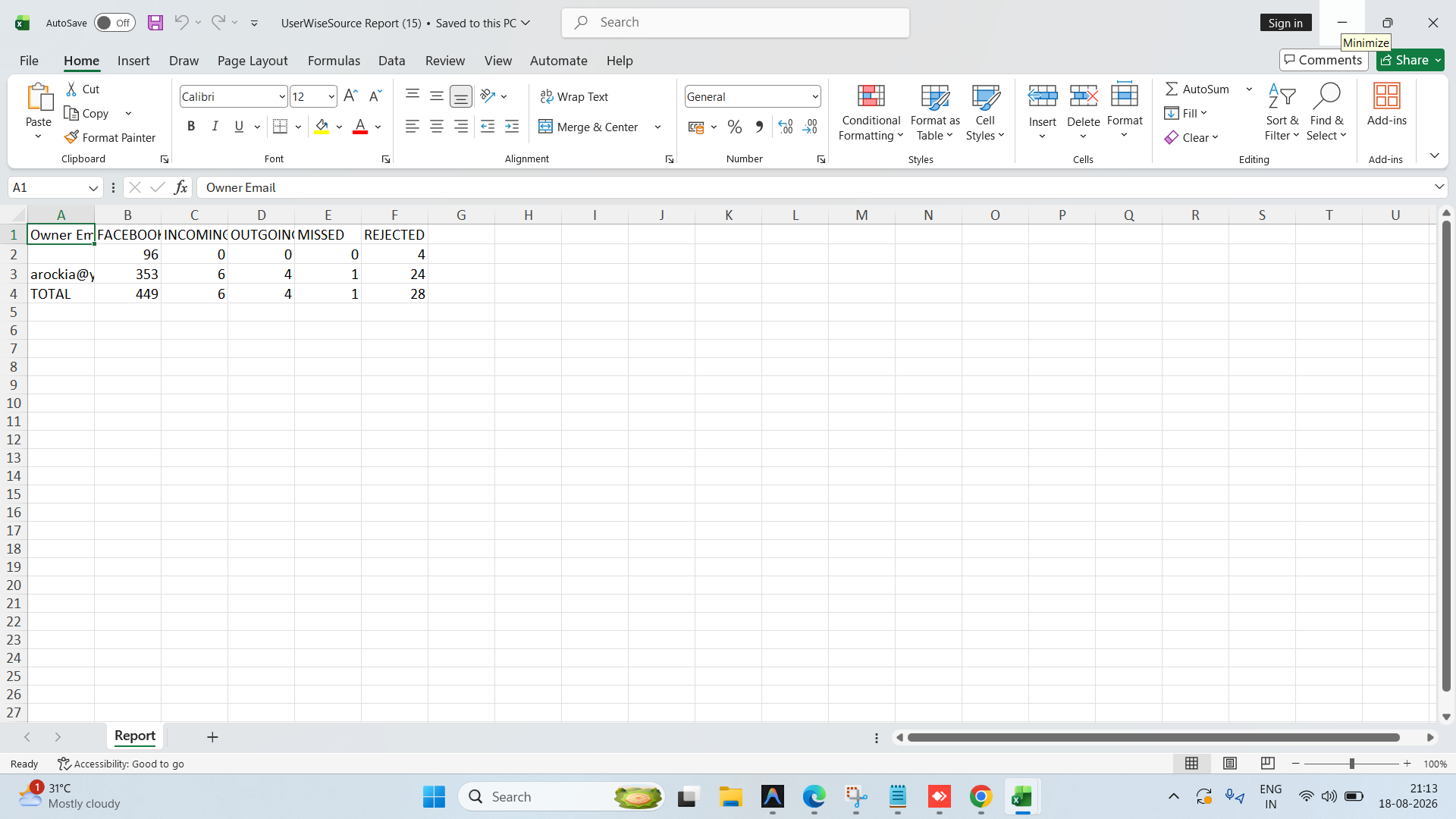
openMobile APP: User Wise LeadSource Report – Total Column Displayed Horizontally Instead of Vertically after downloading the excel
0%
Description
Module Reports
Sub-Module User Wise LeadSource Report
Platform Mobile APP
Description
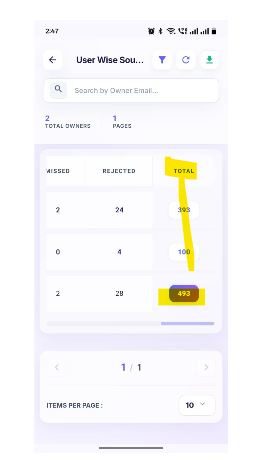
In the User Wise LeadSource Report, the Total column is displayed on the right side of the report along with the lead source columns. As per the expected report layout, the Total should be displayed below the lead source values as a separate total row.
Steps to Reproduce
- Login to the Mobile APP.
- Navigate to Reports.
- Open User Wise LeadSource Report.
- Generate the report with available lead source data.
- Observe the placement of the Total value/column.
Actual Result The Total is displayed as a column on the right side of the report.
Expected Result The Total should be displayed below the respective lead source data as a Total row, instead of being displayed as a column on the right side.
https://dev.flowzo.ai/UserWiseLeadSourceReport
arockia@yopmail.com
Welcome@123
Files
NV Updated by nandhini v 5 days ago
- Status changed from New to In Progress
NV Updated by nandhini v 5 days ago
- File userwise lead source report.png userwise lead source report.png added
- Status changed from In Progress to Resolved
RR Updated by reeta reeta 4 days ago
- File clipboard-202608191455-pehmw.png clipboard-202608191455-pehmw.png added
- Status changed from Resolved to Re-open
Total column is available in both side Horizontally and vertically. Refer
NV Updated by nandhini v about 19 hours ago
- Status changed from Re-open to In Progress