Bug #4665
openLead Call Recording Report – Duration, Lead Name, Call Type, Call Status, and Recording Columns Missing in Downloaded Excel (apk)
0%
Description
Short Description:
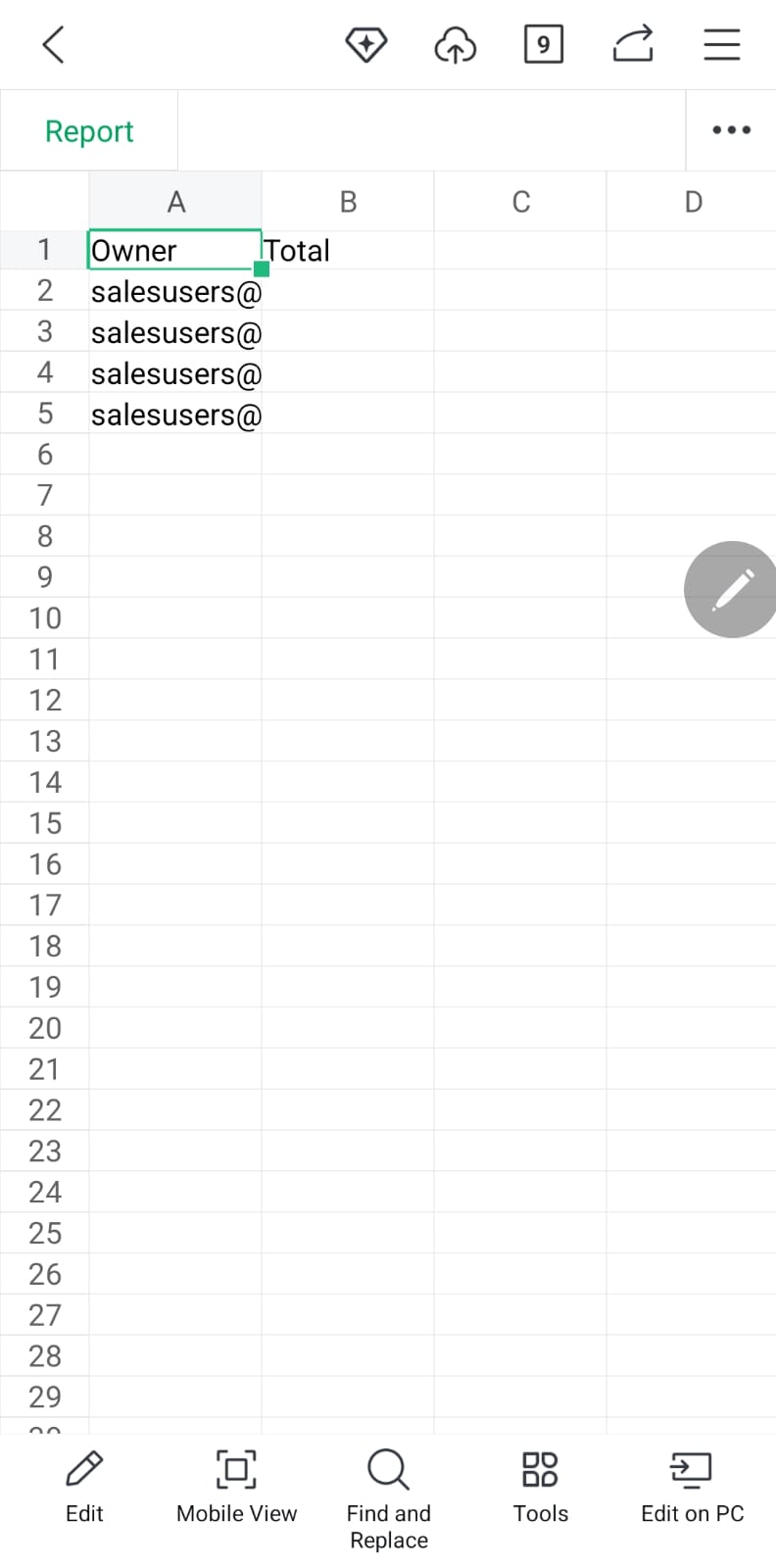
The downloaded Excel file does not contain the Duration, Lead Name, Call Type, Call Status, and Recording columns available in the Lead Call Recording Report.
Steps to Reproduce:
Login to the application.
Navigate to Reports → Lead Call Recording Report.
Verify the report columns displayed on the page.
Click Download/Export to Excel.
Open the downloaded Excel file.
Verify the available columns.
Actual Result:
The Duration, Lead Name, Call Type, Call Status, and Recording columns are missing from the downloaded Excel file.
Expected Result:
The downloaded Excel file should contain all columns displayed in the Lead Call Recording Report, including Duration, Lead Name, Call Type, Call Status, and Recording.
credentials:
Admin Url:admin@flowzo.ai
Password:Admin@123
company Name :cai
Files