Bug #4694
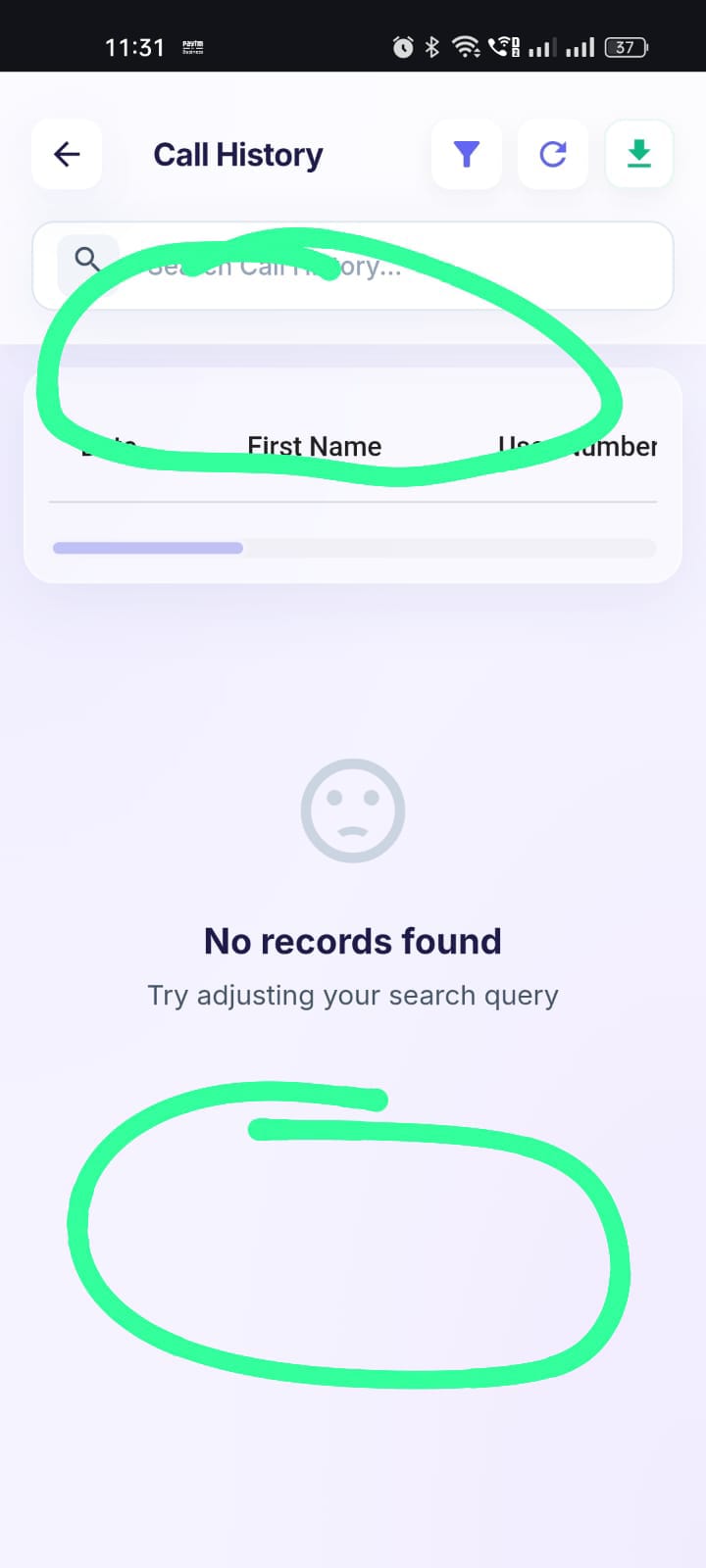
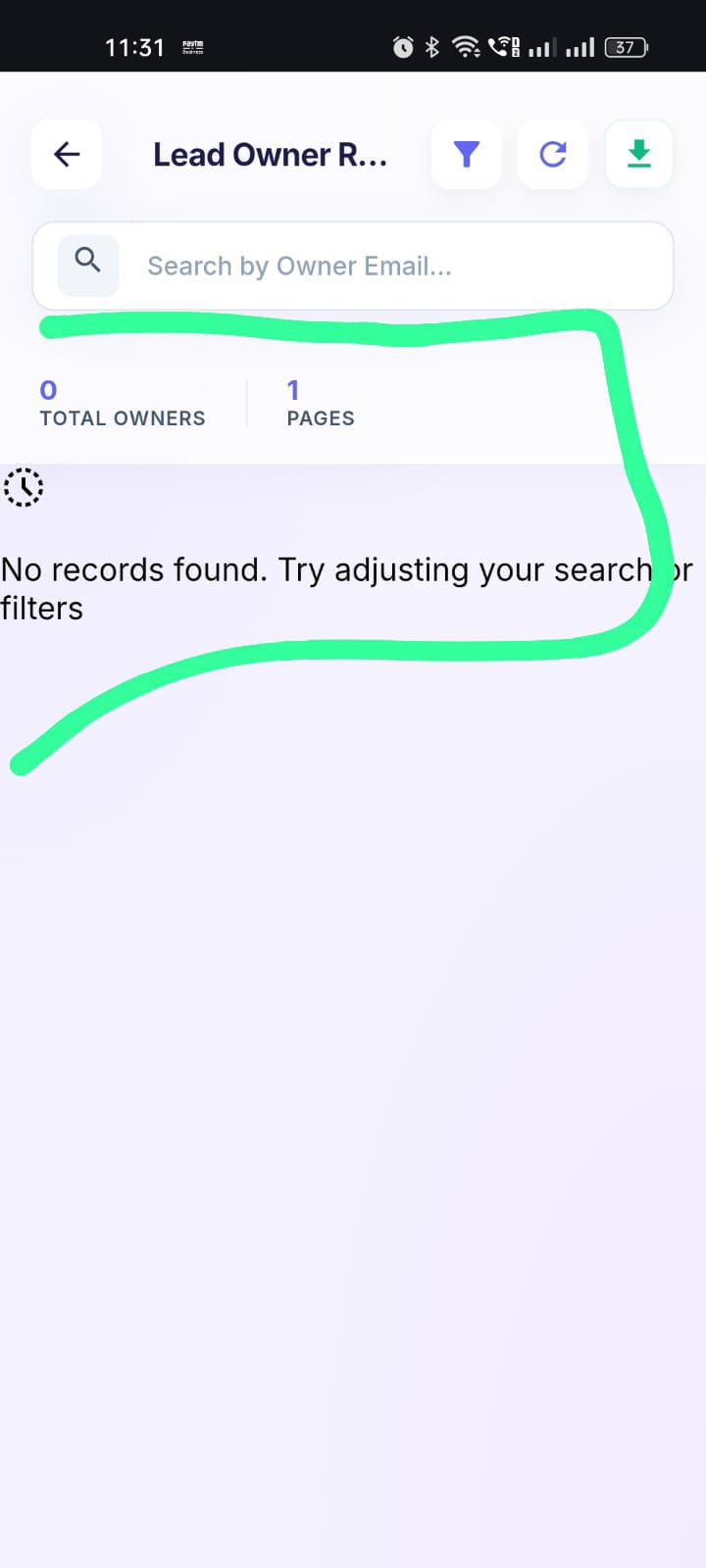
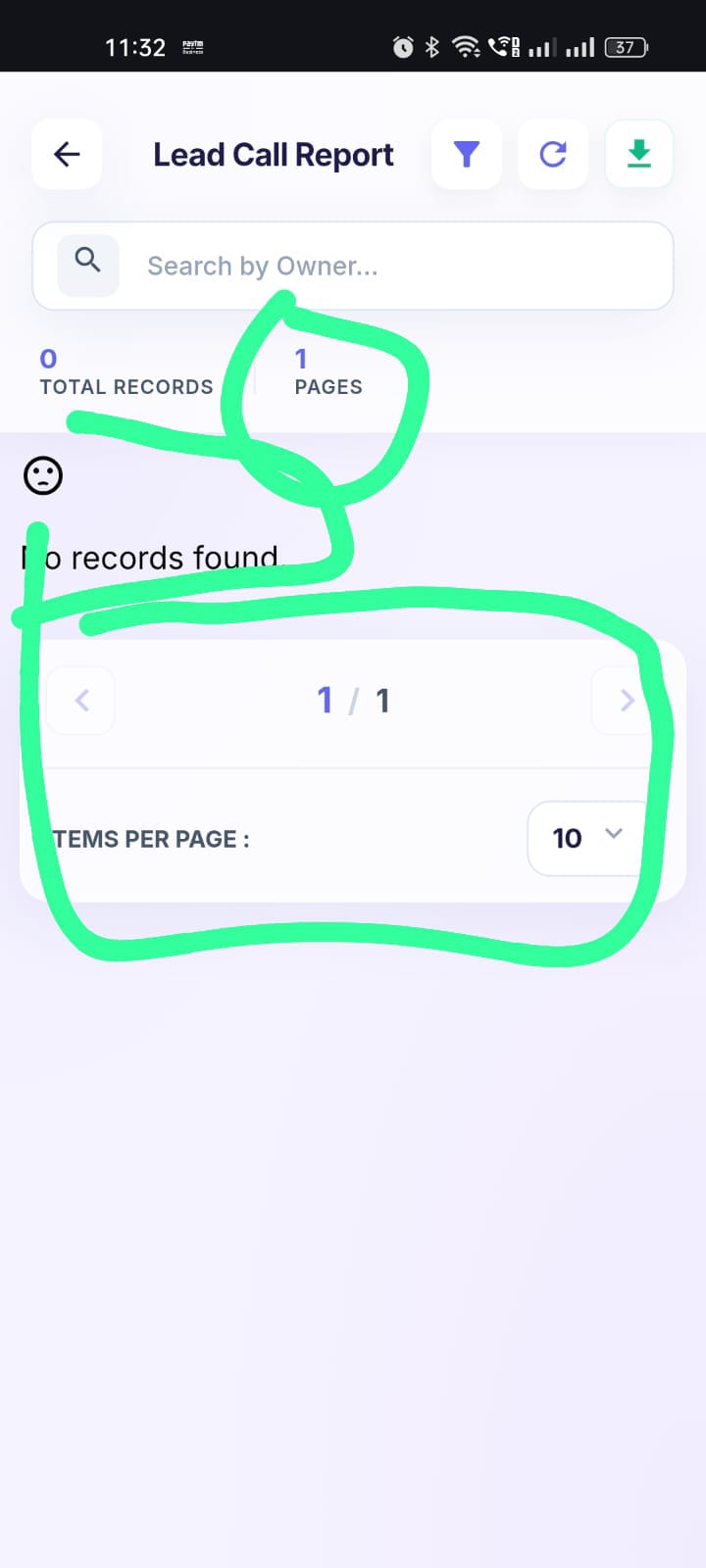
openUI, Pagination, Footer Items, and "No Records Found" Display Inconsistency Across Calling App Reports
0%
Description
Log in to the Calling App.
Navigate to the Reports section.
Open each available report one by one.
Check the report UI layout.
Check the page count/pagination.
Check the footer item count.
Check the "No Records Found" message when there is no data.
Compare the UI and behavior across all reports.
Expected Result:
All reports should follow a consistent UI and layout, including:
Page count and pagination
Footer item/record count
"No Records Found" message
Spacing and alignment
Common table/list design
Actual Result:
The Calling App reports have inconsistent UI and behavior. The page count, footer item count, "No Records Found" message, and overall report UI are displayed differently across reports instead of following a consistent design.
fff@yopmail.com
Welcome@123
fff
Files
.jpeg)
.jpeg)
.jpeg)
.jpeg)
PP Updated by parkavan p 3 days ago
- Status changed from New to Resolved